Pages

Sponsor

Ads

Malwares

Chatting Softs

Media Players

Showing posts with label pc games. Show all posts

Wednesday, 2 March 2016

Dying Light: The Following Review

Image for Dying Light: The Following
Discerning gamers often view downloadable content (DLC) with suspicion: they believe that too often, it exists solely to give games publishers a means of making an extra buck on the back of once-popular games. However, there are signs of a recent shift in attitudes, resulting in slabs of DLC which conform to what gamers actually want – rather than what publishers want to sell them. The Following, a substantial piece of DLC for last year’s excellent open-world zombie game Dying Light, is a case in point.
For a start, it’s huge – its map, developer Techland reckons, is twice as big as that of the original game, and that feels like a plausible claim. The action begins with protagonist Kyle Crane outside the city of Harran, in a mountainous region, from which he descends to find farmlands. Most of those are overrun with either zombies or bandits, but Crane comes across pockets of survivors, who apparently owe their continued existence to a shadowy cult run by the mysterious Mother. Intrigued, he sets out to find their secret. But first, he must gain the locals’ trust, which he achieves by performing story and side-missions.
Gameplay-wise, there’s a big twist on top of the original game: because The Following is set in a rural area, rather than a city, Crane gets to drive around in a buggy – which can be upgraded (for which you must scavenge parts and fuel from abandoned vehicles) and has its own skill-tree. The buggy is great, and since you gain experience points for mowing down zombies in it, it adds a welcome whiff of Carmageddon to proceedings. Localised driving challenges also often crop up, and as in the original game, you often come across random location-based missions, and – after dark – nests of Volatiles you can clear out.
The story missions are, if anything, better-written and more imaginative than those of the original game, and the same can be said of the side-missions. There are points at which the story comes to a halt and you’re forced into side-missions, in order to build up your local respect, but that never feels like an imposition. You come across new weapons – such as an excellent crossbow – and enemies, such as Freaks, which are essentially bosses which you must approach in highly strategic ways. Often, it’s worthwhile finding a co-operative partner in order to take them down.
On the PlayStation 4, at least, The Following also looks notably better than the original, which itself was by no means a bad-looking game. Overall, it’s a prime example of how DLC should be done: it returns you to a thoroughly enjoyable and beautifully fettled game-world, with plenty of welcome additions and nearly as much substance as the original game. If you played Dying Light but have recently neglected it, The Following is pretty much a must-buy. And if you didn’t, you might want to check out the just-released Enhanced Edition of the game, which includes The Following and other items of DLC such as The Bozak Horde. A rare treat for those who love to slice and dice the undead.

Tuesday, 1 March 2016

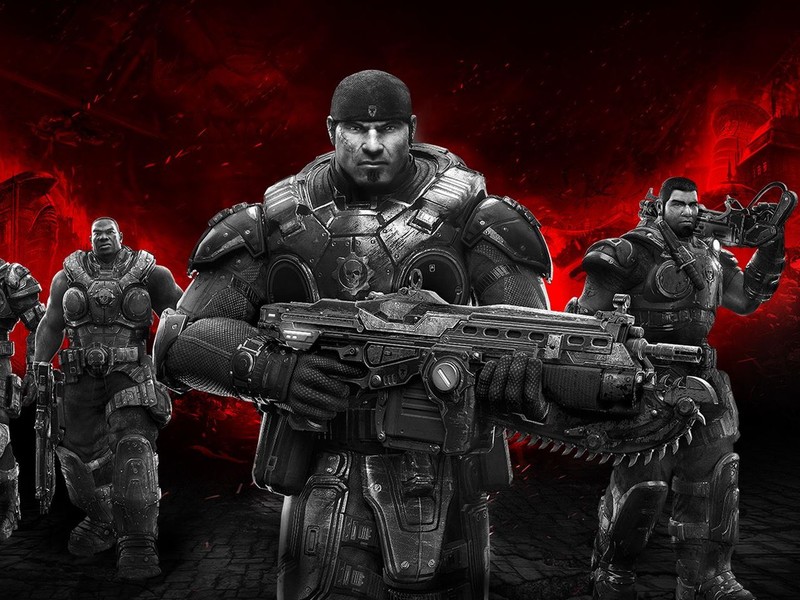
Gears of War: Ultimate Edition PC Requirements Revealed


Gears of War: Ultimate Edition PC Requirements Revealed

Gears of War: Ultimate Edition - a remaster of the 2006 Xbox 360 classic released on the Xbox One last year to rave reviews. Prior to the third-person shooter hitting Microsoft's latest black box, the company announced at E3 2015 that the game would be coming to Windows PCs. Since then though, we haven't heard much else. That is, until now.
Perusing through the Windows 10 Store led us to a listing for the game. It's unavailable for purchase at the moment and there's no price either, but we won't be surprised if it isn't long before it will be. Most importantly though, the page indicates what kind of machine you'd need to play it.

Gears of War: Ultimate Edition minimum requirements: 
  • OS: 64 bit Windows 10 (v. 1511)
  • Processor: Intel Core i5 @ 2.7Ghz / AMD FX 6-core
  • Memory: 8GB RAM
  • VRAM: 2GB
  • GPU: AMD R7 260x / NVIDIA GTX 650 Ti
  • HD Space: 60GB
  • DirectX12
Gears of War: Ultimate Edition recommended requirements:
  • OS 64 bit Windows 10 (v. 1511)
  • Processor: Intel Core i5 @3.5GHz+ / AMD FX 8-core
  • Memory: 16GB RAM
  • VRAM: 4GB
  • GPU: AMD R9 290X / NVIDIA GTX 970
  • HD Space: 60GB
  • DirectX12As per the store page, the above configuration is the "recommended system requirements for 1920X1080P", what this means is, you should ideally be able to play the game at full HD/1920x1080 at 60 frames per second without much trouble. There's a third configuration that's even steeper.
    Gears of War: Ultimate Edition ideal requirements:
  • OS 64 bit Windows 10 (v. 1511)
  • Processor: Intel Core i7 @4GHz+ / AMD FX 8-core
  • Memory: 16GB RAM
  • VRAM: 6GB
  • GPU: AMD R9 390X / NVIDIA GTX 980 Ti
  • HD Space: 60GB
  • DirectX12
With a Windows PC of this calibre, the listing claims it is the "recommended system requirements for 4K", so hitting 3840x2160 at 60 frames per second should be of little worry.
Much like Quantum Break it appears that you'll need a superlative Windows PC to get the most out of it. Perplexing considering how underpowered the Xbox One is in comparison to the average gaming PC these days.
As with all Microsoft first-party games, this will be exclusive to the Windows 10 Store, ruling out Steam and other digital storefronts. The Redmond-based firm is hosting an Xbox One and Windows 10 event on February 25 so don't be surprised to see more information, including a potential release date soon.

Saturday, 27 February 2016

Call of Duty: Black Ops 3 - How to Bring Back High and Ultra Settings on PC

Call of Duty: Black Ops 3 - How to Bring Back High and Ultra Settings on PC
Call of Duty: Black Ops 3 is arguably one of the better PC ports this generation, and a feature pakced entry in the long running first-person shooter series. From advanced options like downsampling - the ability to render games at 4K, and to then project them at 1080p for a higher quality image - to options for tweaking textures and lighting there's a host of ways for you to enhance your experience.
However, a month or so after release, developer Treyarch removed the ability for users with video cards that have 2GB or less of VRAM to choose options above and beyond medium settings. It's an odd move considering that new cards like Nvidia's GTX 960 can comfortably manage the high settings even with 2GB video memory. While the developer has been quiet about the reason for this change, the Call of Duty community believes this change was done to ensure cards with lesser memory don't run the game at settings that may impact performance adversely.And while you can splurge on a more powerful card like the AMD R9 Fury or the Nvidia GeForce GTX 980 Ti there's another, cost-effective method to bring back high and ultra options. Here's how.
  1.  Find your Call of Duty: Black Ops 3 configuration file. It's usually config.ini in your Steam
    folder, Steam\steamapps\common\Call of Duty Black Ops III\players
  2. Open config.ini with Notepad or any text editor.
  3. Look for "RestrictGraphicsOptions = "1" ". Change 1 to 0. It should look like RestrictGraphicsOptions = "0".
  4. Save the file and close it.
When you boot up the game you should be able to select high and ultra options with a video card that 2GB VRAM or lower. What do you do to optimise your Call of Duty experience on PC? Let us know via the comments.


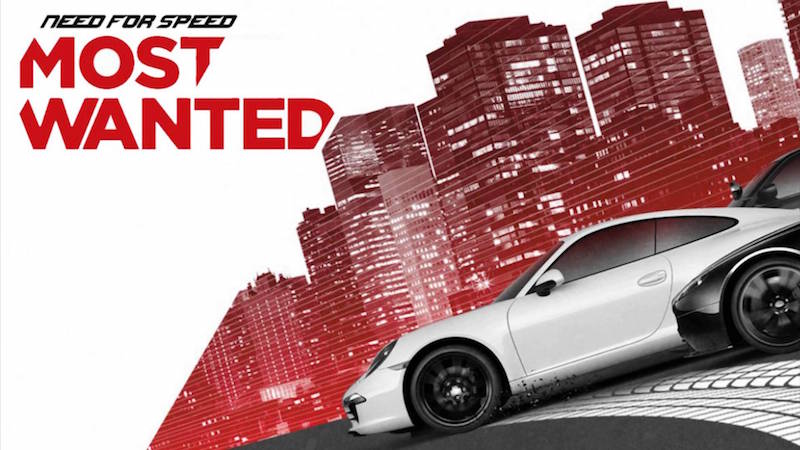
Need for Speed Most Wanted Is Now Free on Windows PC

Need for Speed Most Wanted Is Now Free on Windows PCNeed for Speed Most Wanted is now free for Windows PC. It's one of the last decent entries in a series that's been in steady decline for years and has seen its developers change hands from the now defunct Black Box Studios to Criterion (of the Burnout fame) to Ghost Games--the studio that was responsible for last year's abysmal Need for Speed. The downside though is that you'll need to use the Origin client to get it. In our experience, it hasn't been the most reliable piece of software, and our attempts at playing FIFA 16 on PC only served to compound the perception. In fact, even trying to claim Need for Speed Most Wanted for free now is throwing up errors, which may be due to the traffic on Origin right now. Nonetheless, you might be able to fare better.
There's no telling when EA might decide to flip the switch and make it a paid purchase though, so we suggest grabbing it as soon as possible. As the site says, "make sure to act fast because On the House specials can appear and disappear at any time."
And while we're yet to see Need for Speed reach the heights it did with 2005's Need for Speed Most Wanted, the 2012 version is solid There's a ton of cars to choose from, a varied number of environments to race in, and a surprisingly immersive open-world. Throw in the new low price of free and you have something well worth checking out. You can download it now.

Monday, 15 February 2016

Street Fighter V

Street Fighter V pc port review
Street Fighter V releases on February 16, which means very shortly the worlds of both PC and PS4 will be awash with stylised watercolour violence and peope trying to come to terms with what Ken looks like now. It's very difficult to imagine that the finely tuned gameplay systems powering all those fights will be anything other than excellent, but the real question is: how does it run on PC? That's where PCGamesN come in, poking and tugging at its graphical options like excited children around the patient family dog.

Tested on an Intel Core i7-2500K @3.7GHz, 8GB of RAM, GeForce GTX 780, Windows 10.
Here's the great thing about Street Fighter V, and it was just as true of its predecessor on PC: it looks wonderful, and requires very little from your system. The system requirements Capcom released way back in September 2015 are testament to that.
The bare minimum Street Fighter V requires to run is an Intel Core i3-4160, 6GB of RAM, and a GeForce GTX 480. Recommended specs are a bit more demanding, but still below the current average - Intel Core i5-4690K @3.50GHz, 8GB of RAM, and a GeForce GTX 960. Our own system falls just below the recommended specs (certainly in terms of age, if not outright processing power), but we've found it to run at an unwavering 60 fps at all times.
That means two things: firstly, that you can take those recommended specs with a pinch of salt and shouldn't be disheartened if your rig falls a bit below it. Secondly: it's running at a locked 60 fps, with no option to remove the frame limit in the game itself.
We've been tinkering with the engine.ini file found here:
[Your installation drive]\Steam\steamapps\common\StreetFighterV\StreetFighterV\
Intermediate\Config\CoalescedSourceConfigs
...looking for an obvious "FrameCap = True" entry or similar and haven't found anything that allows frame rates above 60 so far. We'll keep trying, though.
Given that Street Fighter 5 runs at a rock-solid 60 fps with all graphics options maxed out, lowering those options doesn't tell us much about potential perfomance benefits. What it does show, however, is the fidelity difference between each graphics setting preset. Speaking of, let's take a look at the graphics settings now:
Street Fighter V PC graphics options
Above are the full range of customisable graphics options. Like the broader Street Fighter design philosophy, it's... streamlined. Barebones, even. There's no v-sync option here, nor any choice of anti-aliasing techniques - simply 'low,' 'medium,' high,' and 'max.'
That's how it goes for the other options. Of particular interest is resolution scaling, which is used to keep the game outputting at your monitor's native resolution but lower the image sharpness to increase performance. This can't be boosted beyond 100% though, so it doesn't work like downsampling - it can't sharpen texture resolutions to those higher than your monitor's output. Only lower.
Points must be awarded for allowing the player to change all graphics options without requiring a restart, and further points for those changes being reflected in the game menu behind you. The difference between 'low' and 'max' presets is stark, even when observed on a 2D world map.
There's also an 'automatic' preset which adjust settings based on yours specs, and a 'custom' preset where you'll get to change all the individual options manually.
There's also this resolution select screen, which inlcudes a fullscreen/window mode option. Pretty minimal graphics tweaking is on offer, then.
That's to be expected, given both the genre of the game and its console heritage (I know you exist, PC fighting game community, but you're not the bigger crowd). In terms of fast and consistent frame production, fighting games might be the only genre to rival competitive shooters for emphasis and importance.
You need to be able to read animations within their first few frames. No one wants to lose round after round staring at a beautifully rendered 24 fps scene, so SFV's options are accordingly focussed on getting you to that golden locked 60, rather than maxing out your graphics card's capabilities.
Competitive playing also being at the fore, perhaps the locked 60 is also a means of levelling the playing field a bit. That said, a v-sync toggle would have been nice. Scanning the game's .ini files reveals a few 'FrameSmoothing' entries, but we haven't found editing the variables to have a noticeable effect in-game.
Before we dive into the graphics presets and how they affect the game's visuals, it's important to re-emphasise that the game looks gorgeous because of its art direction and animations, not because of a slew of advanced post-processing effects. It's by no means a disaster, then, if you have to drop down to the medium preset.
Let's take a look at the game running with all graphics options maxed out:
Street Fighter V pc port review
(Bigger version)
Here's Chun Li about to throw down on the newly redesigned Ken for having the gall to turn up to a fight with a man-bun. It's incredibly tricky to take like-for-like images in such an animation-crammed game, and SFV doesn't allow graphical option customisation mid-fight, so we've retreated to training mode to analyse the fidelity of each preset.
As we mentioned before, our modest system can run this scene at a flawless 60, and that's a great result. It suggests an engine well-optimised for PC. It isn't hugely surprising though, since there are only ever two high-poly characters on screen at any time, and only a sparsely populated background with lower detail objects for your GPU to worry about behind them.
The AA is doing its job well here, and the smoke effect around Chun Li's feet isn't having the slightest impact on frame rate. You can see the effect that Chun Li's Trigger is having by casting light on her character model. Though the shadows are almost obscured in that screen, you can get an idea of their blurriness and detail by checking out the bigger version.
The only negative takeaway from this shot is the letterboxing occuring at 1920 x 1200 resolution. Since there's no option to adjust the aspect ratio, we're stuck running the game at 1920 x 1080 with black space at the top and bottom of the screen.
Next, let's drop down to 'high' settings:

(Bigger version)
As we lower all graphics option from 'max' to 'high,' it's actually the resolution scaling that has the biggest impact on fidelity. It's dropped down to 87% of the native resolution, which makes the final image that bit grainier. It's especially noticeable on our monitor because the locked aspect ratio means we're already down from our 1920 x 1200 to 1920 x 1080.
That's most noticeable in the UI and text, although you can also see increased blurriness in Chun Li's face. The lightning-fast animations produce a lot of blur in screenshots at the best of time, but that's accentuated when the resolution's also being scaled down. We'd advise you keep the scaling at 100% and instead manipulate the other graphics options to increase performance.
Generally, the difference between 'max' and 'high' is subtle. The visuals don't fall off a cliff as we drop down to medium, either:
The obvious difference between these screens is in the background scenery, but it isn't related to the graphics options. The planes visible at 'max' and 'high' just haven't landed yet in this particular randomised scenery animation.
The graphics options-led changes are a bit subtler. The smoke around Chun Li's feet is a bit simpler in this instance, and the effect of her Trigger lacks a bit of definition. The specs of colour in particular appear blurrier, while the AA's having to work that bit harder to avoid jaggies at such a reduced resolution scale. Ken's shadow has also been simplified slightly.
The most noticeable change in fidelity comes when dipping from 'medium' to 'low' preset, though:
It's at this point, with the resolution scaled down to 50% and all options running at their lowest, that you could make the argument it's possible to get SFV looking like SF3. The pixellation of everything in the 3D scene, alongside the blurriness of te UI, are a marked difference from 'medium' and above.
While all presets result in a locked 60 fps on our system, we can speculate with reasonable assurance that this configuration will produce a playable frame rate on anything more advanced than a potato alarm clock.
Character models still look great. That wonderful watercolour-meets-claymation art style that has defined the series since SFIV is intact. The animations and effects are still as Capcom intended. Really, the trade-off is a graininess to everything on-screen, and a blotchy effect resulting from the AA being stretched too far (while also operating at its lowest preset).
So, does it get the pass? It's hard to see why it shouldn't. Most importantly, the frame rate absolutely flies at all settings on our just-below-recommended specs. Secondly, it still looks great as far down as 'medium' presets. That's really all PC players need to know before taking the plunge.
The graphics options aren't comparable to a CD Projekt RED game, true, but they also don't need to be. On a technical level, Street Fighter V does a good job of giving PC players the best chance to experience the game at the intended 60 fps, and letting its wonderful art direction do the rest.

Thursday, 28 January 2016

top 5 pc games with best HD graphics

this is a historical combat game from the assassins creed series. in this series some new weapons have been added. it has also introduced phantom blade which is very useful. another major feature that has been added in this version is that player would be able to enjoy a nice amazing HD graphics  and player can unlock
 different skills of there own choice.


the game GEMINI HEROES REBORN is a spectacular action adventure game. it is based on first person shooting perspective and it provides the users to control the beautiful 20 year old cassandra. this game is superb in every way possible and it has a marvelous graphics.


this is an exciting action adventure game it comes on a number of platforms the game consist in a dynamic combat experience and you get loads of content. the HD graphics is just superb.


RESIDENT EVIL ZERO is a horror action game it has all new enhance graphics. it also has all the resident evil fan favorite characters. it is provided with the best visuals and sound technology. you will get the spectacular view of the event which long before started the resident evil saga. the story line of the game is just amazing in which you see that you are in the year 1998.


 last on the list is one of the best action game. the game just cause2 take place after four year from the events of just cause in this interesting battle. player will enjoy many types of  heavy and latest weapons player will be unlocking many types of military latest model vehicles are also added to this game.


Site Links